
Activity Today and visits in progress
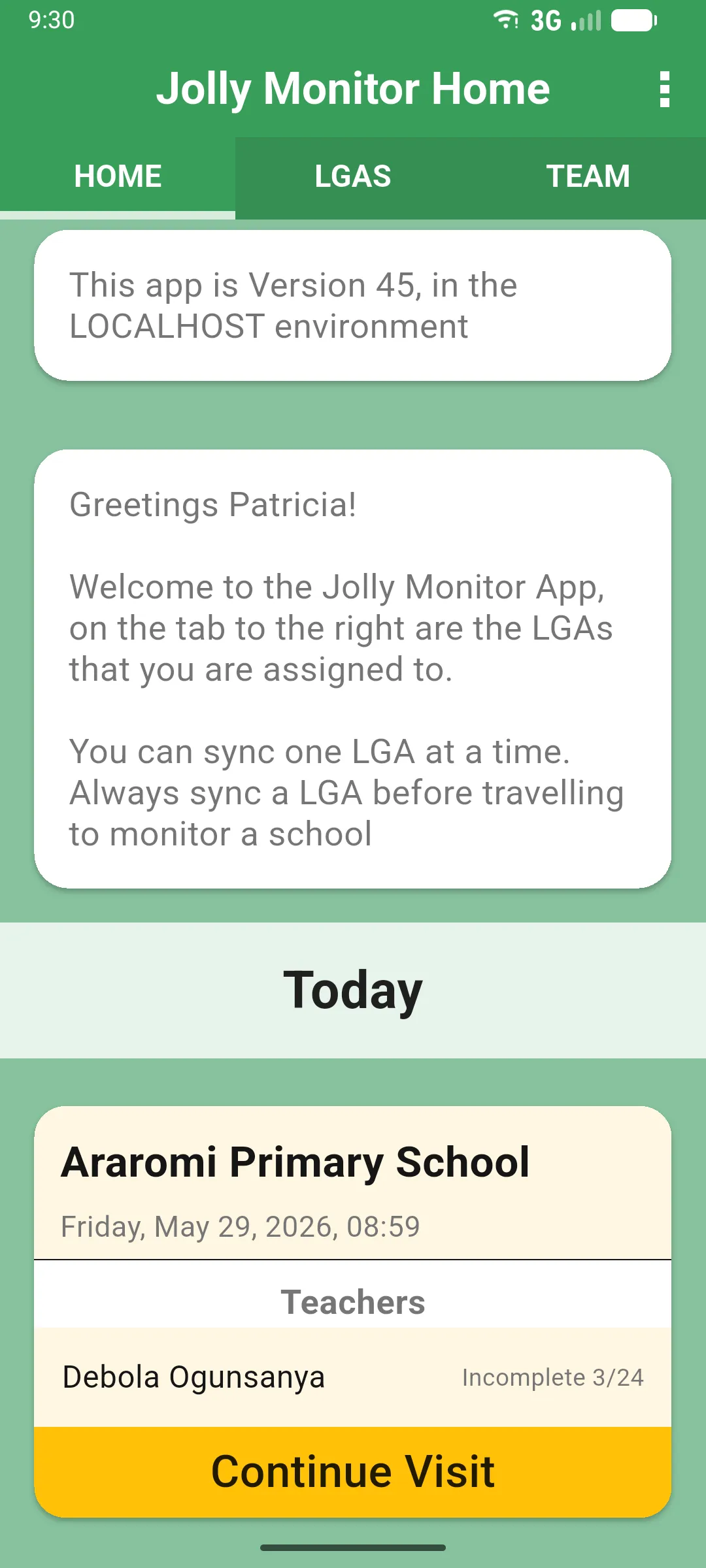
The app keeps a list of the visits you’ve started today but not yet completed, so you can pick one up again with a single tap. The section is called Today on the Jolly Monitor Home screen, and Activity Today when you open a district or a school.
1. Find the section
Section titled “1. Find the section”- On the Jolly Monitor Home (HOME tab), scroll down to Today. It only appears when you have at least one visit in progress.
- Inside a district (HOME tab) or a school (MONITORING tab), the same list appears under Activity Today.
Each card shows the school, the date and time the visit was started, and the teachers being monitored with their progress (for example Debola Ogunsanya, Incomplete 3/24).
2. Tap Continue Visit to carry on
Section titled “2. Tap Continue Visit to carry on”Tap Continue Visit on the card (just Continue inside a school’s MONITORING tab) to reopen that visit where you left it, with the SCHOOL, TEACHERS and HISTORY tabs ready to carry on. Your answers are saved automatically as you go, so nothing is lost between sessions.
3. Complete to clear the entry
Section titled “3. Complete to clear the entry”Once you finish and tap Complete Visit, the entry leaves Today / Activity Today and moves to the Complete Visits (home and district) or Past Monitoring (school) list. See Completing a visit.
4. Sync to protect your progress
Section titled “4. Sync to protect your progress”Sync from time to time so your in-progress work is also stored on the server. If your device is lost or you switch devices, a fresh login pulls the same visits back so you can keep working.
Next: Cancelling a visit