
The Teacher page
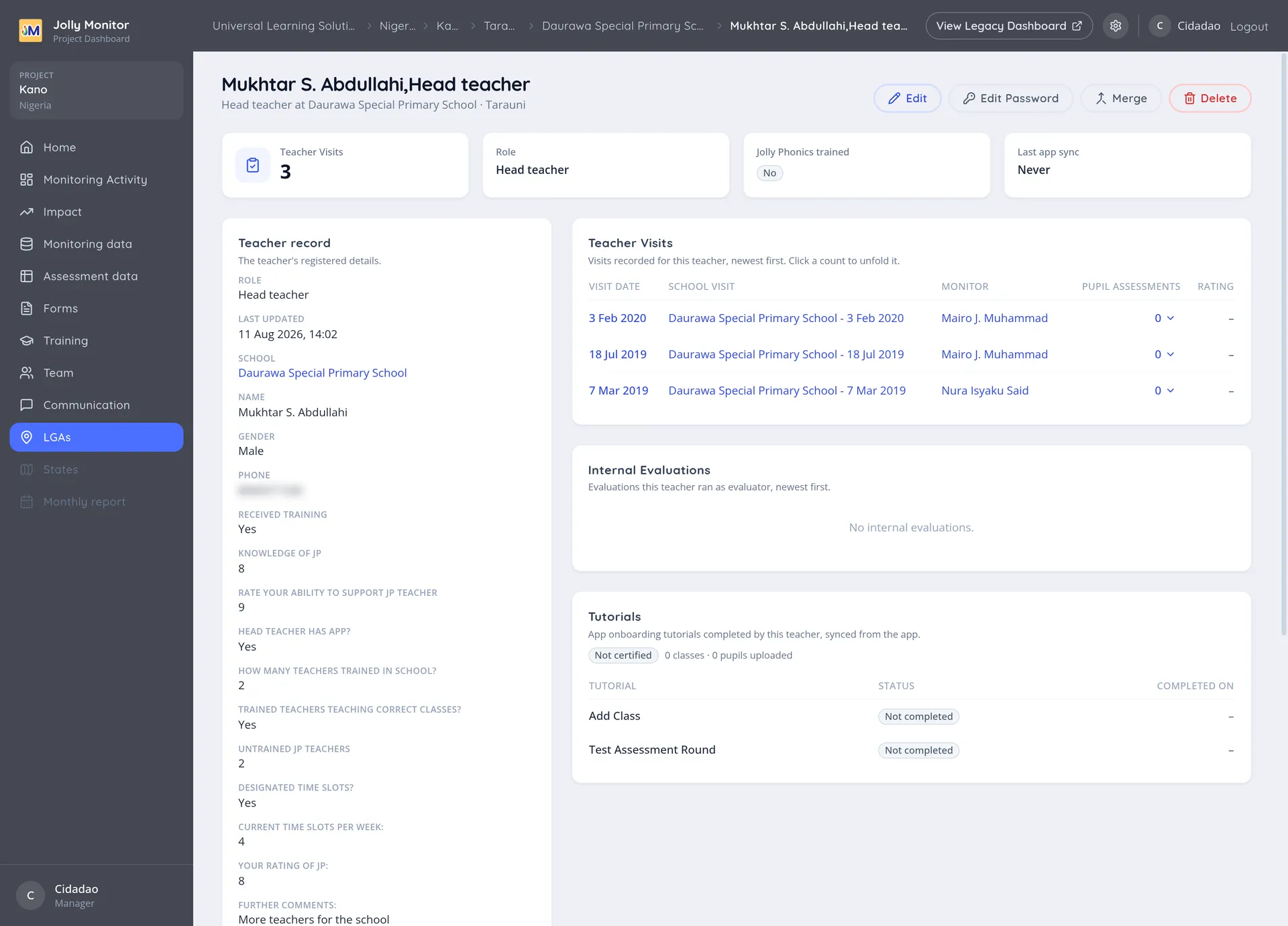
The Teacher page collects one teacher’s record and everything that has happened to them.
Sections
Section titled “Sections”Teacher record
Section titled “Teacher record”The teacher’s details, including their role and their school. Edit answers changes the answers collected about them; Edit changes the record itself.
Teacher Visits
Section titled “Teacher Visits”Each visit shows its Visit date, the School visit it belonged to, the Monitor who made it, the number of Pupil assessments taken, and the Rating given.
Internal Evaluations
Section titled “Internal Evaluations”Evaluations this teacher ran as the evaluator, newest first (not evaluations about them).
Tutorials
Section titled “Tutorials”Tutorial, Status and Completed on track the training material the teacher has worked through in their own app. This is the self-study side, separate from the training events run in person.
A teacher only sees the forms that have been assigned to them; the tutorials are the app’s own onboarding steps and come with it. See Assigning teachers to forms.
Actions
Section titled “Actions”These actions are for managers and project staff (Delete needs a manager):
- Edit and Edit answers: the record and the collected answers.
- Edit Password: the teacher’s own credential for the teacher app.
- Merge: combine duplicate teacher records, keeping both histories.
- Delete: remove the teacher, after a confirmation.
Next: Classes and pupils