
Project Configuration
A project’s setup lives behind the settings icon in the header bar, shown to senior managers and administrators while you are inside a project.
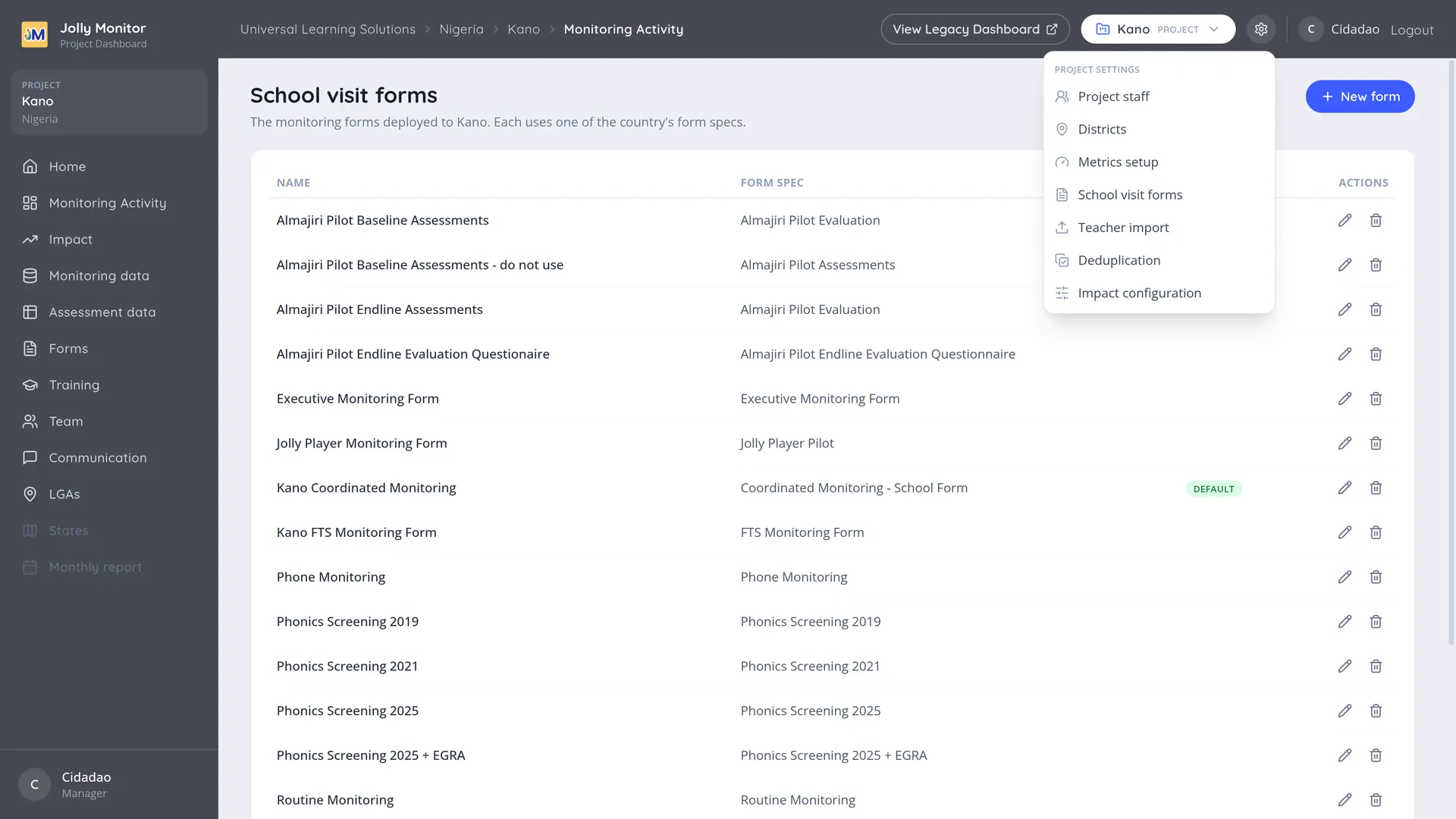
What is in the menu
Section titled “What is in the menu”| Entry | What it sets up |
|---|---|
| Project staff | The project’s team |
| Districts | The project’s districts |
| Metrics setup | Which of the country’s metrics this project tracks |
| School visit forms | The project’s own forms and which is the default |
| Teacher import | Bringing in a list of teachers at once |
| Deduplication | The project’s duplicate candidates |
| Impact configuration | What appears on the project’s Impact page (administrators only) |
Project staff opens the project’s team, where monitors are added individually or imported, and where each person’s profile holds their visits, their forms and their PIN. See Project Staff.
Districts
Section titled “Districts”The project’s districts with their activity counts, and a New district button (named with your country’s own word; the save is administrator-only): adding one is how a project grows its coverage. Each district in the list opens its own dashboard. See The district dashboard.
Monitoring and assessment
Section titled “Monitoring and assessment”Three entries cover what the project collects and how it is measured:
- School visit forms: the forms monitors open on the tablet, each based on a country form specification, one of them marked as the default. Opening a form shows the monitors assigned to it, with actions to assign and remove them, and to rename or delete the form (deleting needs an administrator, and is refused while the form has monitors assigned or visits recorded). See Monitoring forms.
- Metrics setup: which of the country’s metrics this project tracks. A project cannot invent a metric, only choose among its country’s. See Creating and editing a metric.
- Impact configuration (administrators): the project’s Key Results tables, their assessment sections, brackets and targets. See The Impact tab.
- Teacher import loads many teachers at once from a spreadsheet, matching schools and districts by name. See Teacher import.
- Deduplication finds and merges duplicate records. See Deduplication overview.
Next: Teacher import