
One district vs several districts
Jolly Monitor adapts your home screen to how many districts your account covers. There are two versions and each one has its own page with the full tour.
Comparison
Section titled “Comparison”| Several districts | One district | |
|---|---|---|
| Title bar | Jolly Monitor Home | Jolly |
| Tabs | HOME, Districts, TEAM | HOME, SCHOOLS, TEAM |
| What the TEAM tab lists | Every monitor in your project (across the whole region) | Only the monitors operating in your district |
| Full tour | Your home screen | Your home screen (Single district) |
Several districts
Section titled “Several districts”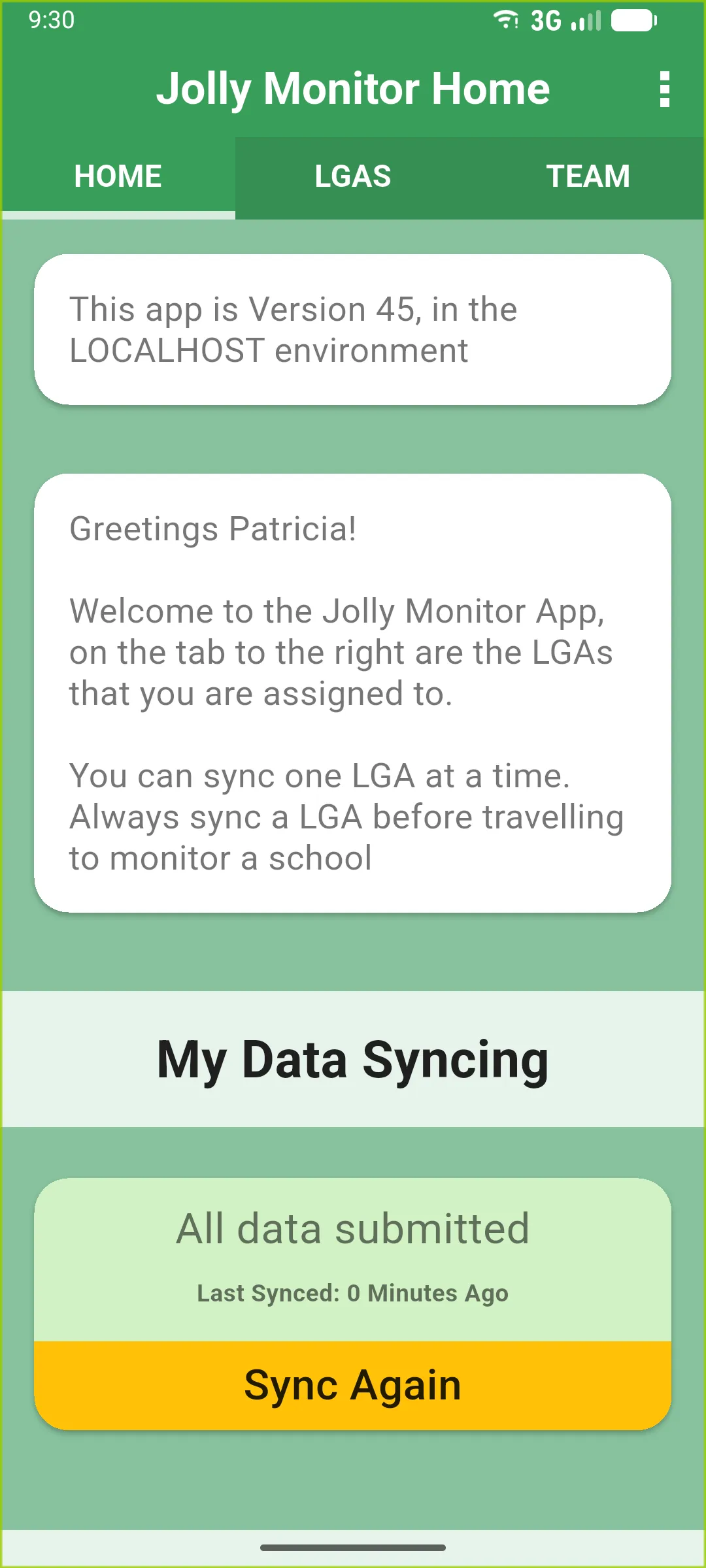
The middle Districts tab lists every district you cover. Tap any card to drill into that district.
One district
Section titled “One district”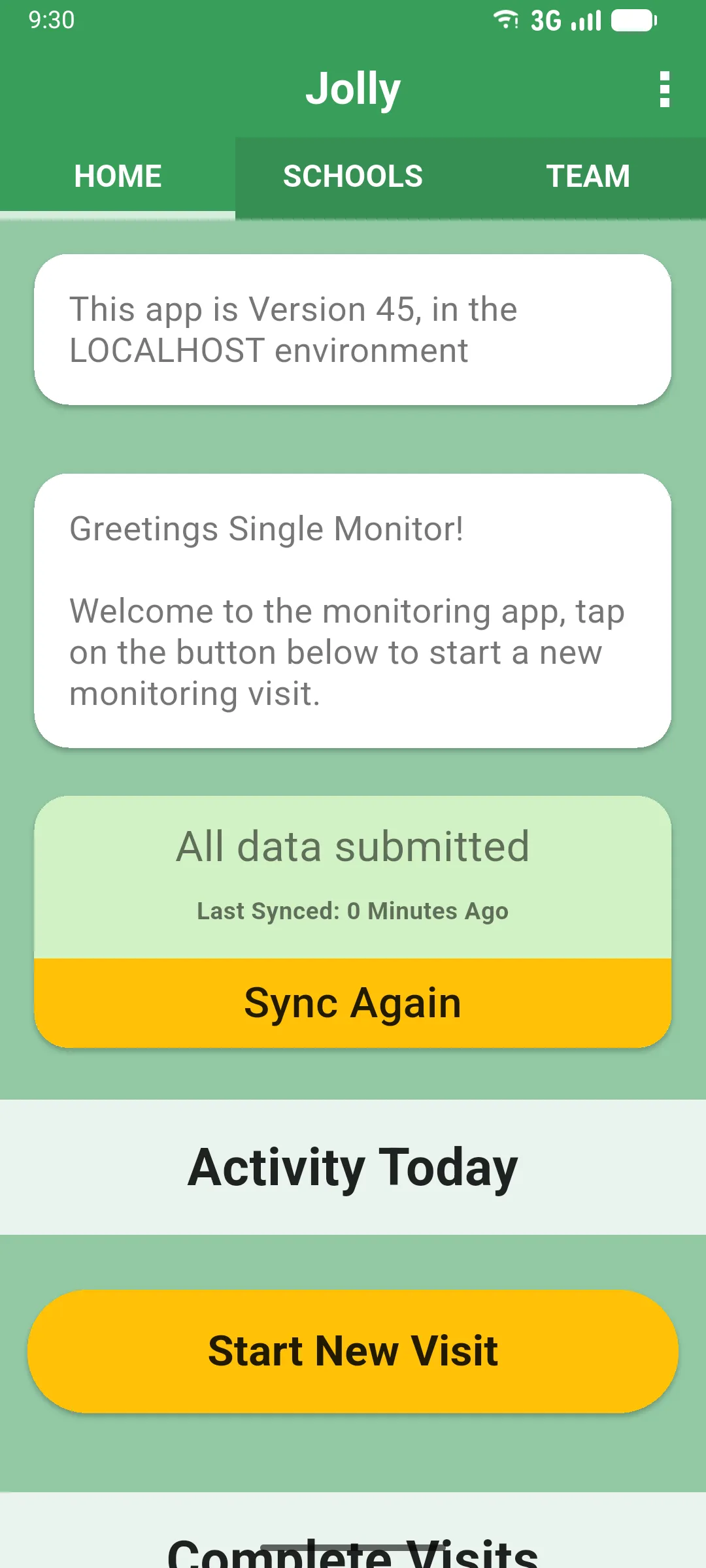
The app skips the district list and drops you straight into your only district. Because there is only one, the middle tab becomes SCHOOLS instead.