
Classes and pupils
Classes sit between a school and its pupils. A class has a teacher and a year, and pupils belong to it.
The Class page
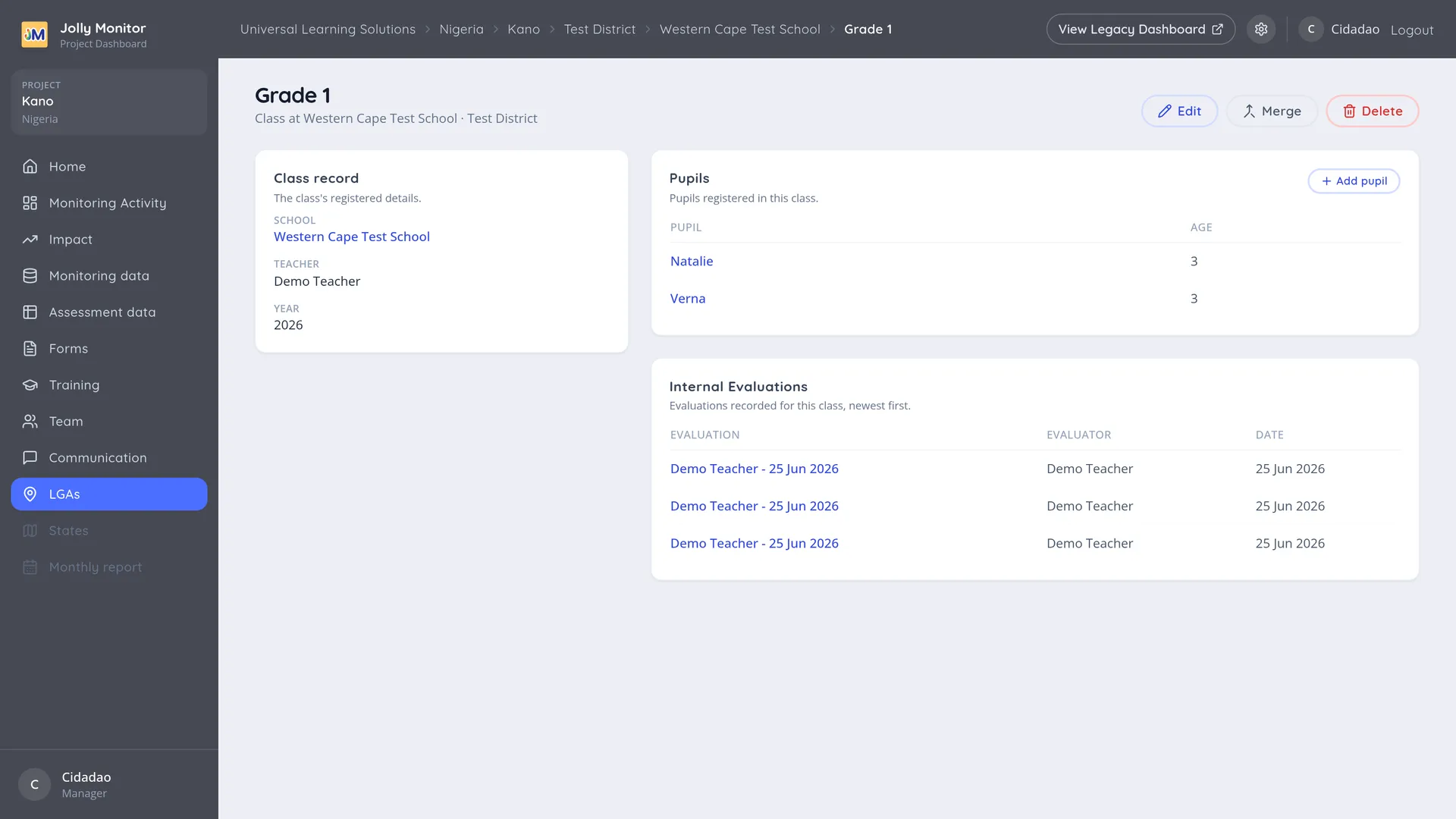
Section titled “The Class page”Opening a class shows:
- Class record: its details, including its teacher and its year.
- Pupils: the pupils in the class, with Add pupil (administrators) to add one.
- Internal Evaluations: evaluations carried out for that class.
The usual actions are there for managers and project staff: Edit for the class details, Merge for when the same class was recorded twice, and Delete.
The Pupil page
Section titled “The Pupil page”A pupil’s page, opened from the class’s Pupils list, shows their record and the assessments taken for them over time. It is the closest the dashboard gets to following one child, which makes it the page to open when somebody asks whether a particular pupil has progressed.
Where the year group in reports comes from
Section titled “Where the year group in reports comes from”Pupils and assessments
Section titled “Pupils and assessments”Some monitor workflows and historical assessments can record a name without a registered pupil. Current teacher class rounds require a registered pupil and reuse the form chosen for the round. When an assessment is taken through a class with registered pupils (as internal evaluations are), it lands on the pupil’s record, which is what allows one child’s results to be followed across a year.
Adding classes
Section titled “Adding classes”Classes are added from the school page, where the Classes table has its own add action (administrators). Fill in the teacher and year where you can: no report depends on them, but they are what make the register readable.
Next: School visits and teacher visits
In the app, Total learners is the class size, separate from the number of registered pupil records. Pupil registration uses a Name field followed by the information questions assigned to the form. Saved information is reused in later assessments; edits can update in-progress work while completed assessment records retain their historical information.