
Deleting a section
Sometimes a section gets started by mistake or you need to redo it from scratch. You can delete a single section without throwing away the rest of the pupil assessment.
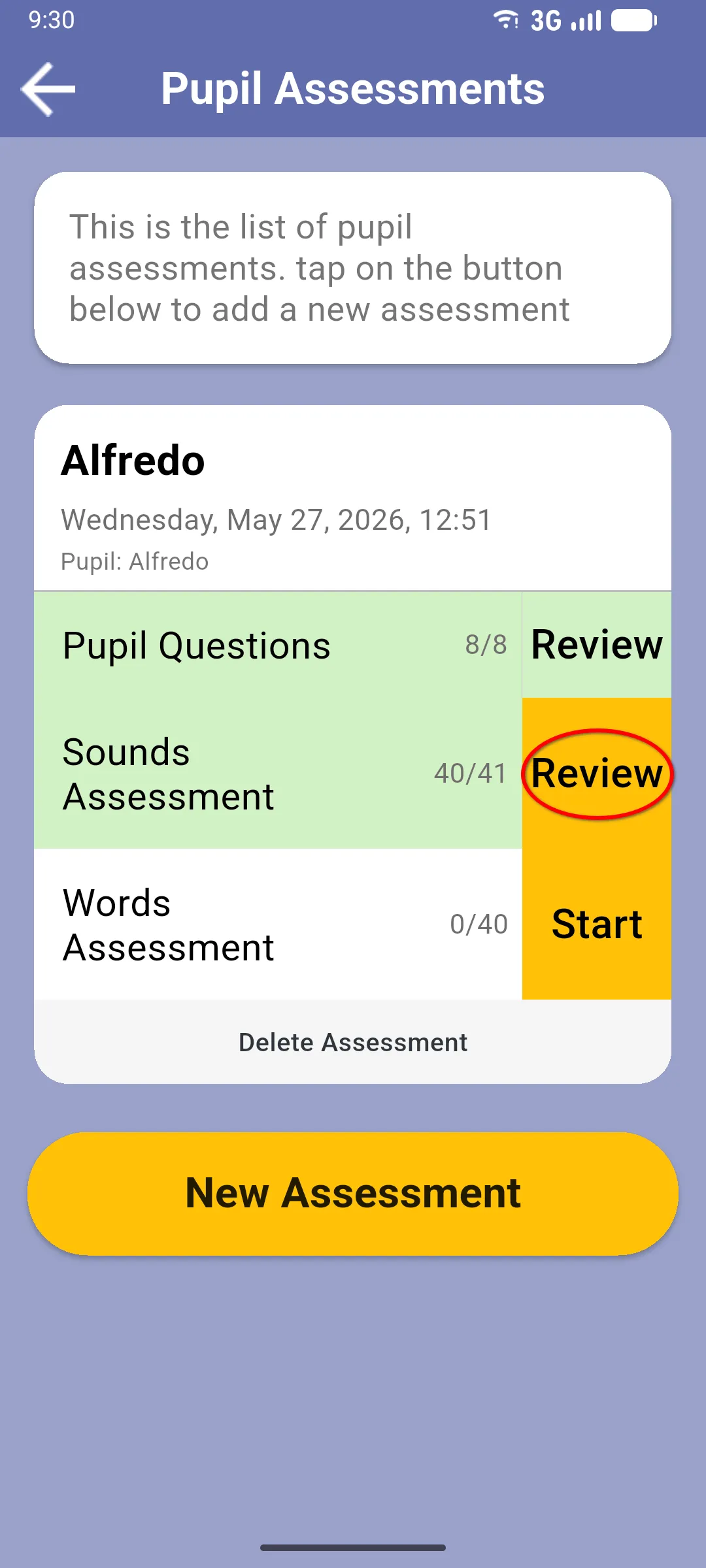
1. Tap Review on the section
Section titled “1. Tap Review on the section”From the pupil assessment, tap the Review button on the section you want to delete. The button is on the right of the section row and appears whenever the section has been opened at least once (in progress or already completed).
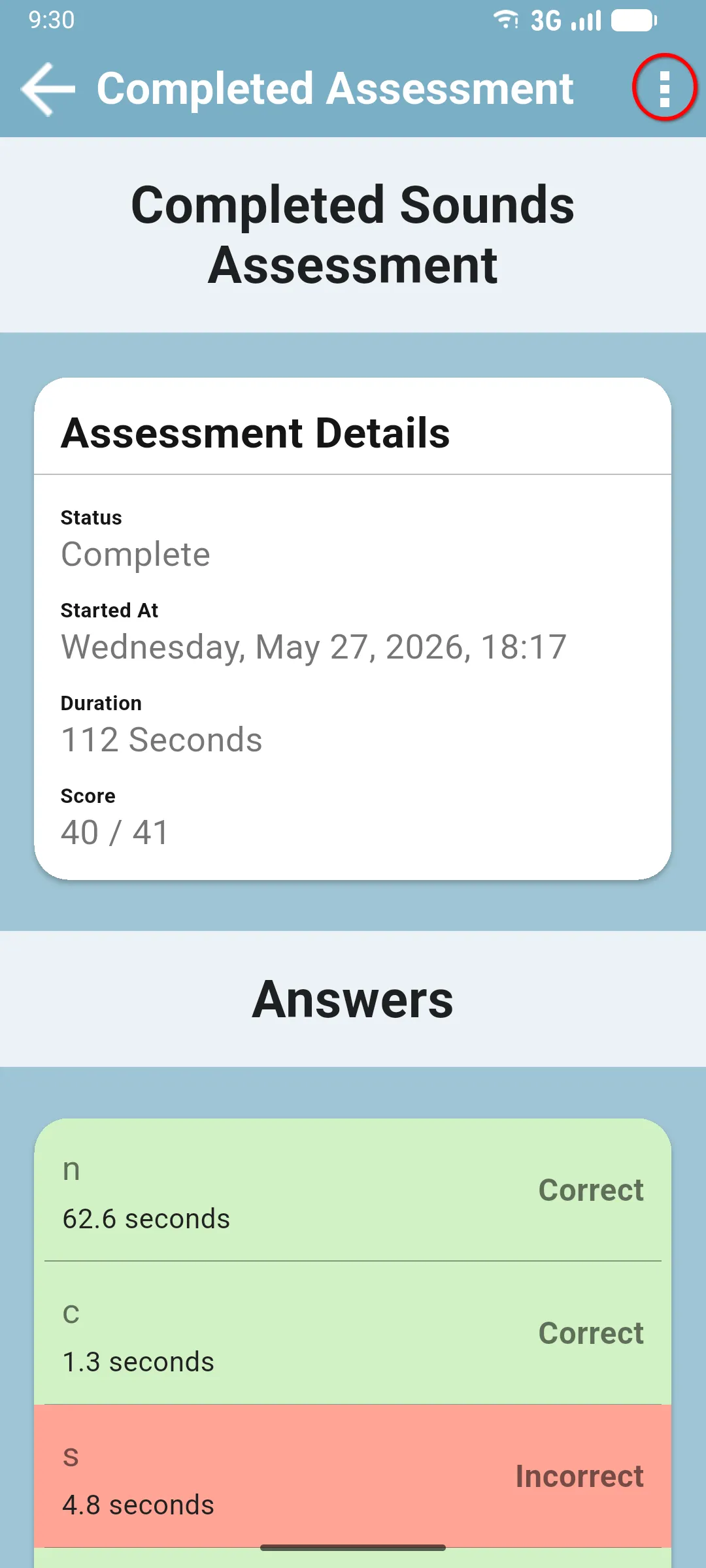
2. Open the section menu
Section titled “2. Open the section menu”The section opens in review mode. Tap the three-dot menu in the top right of the screen.
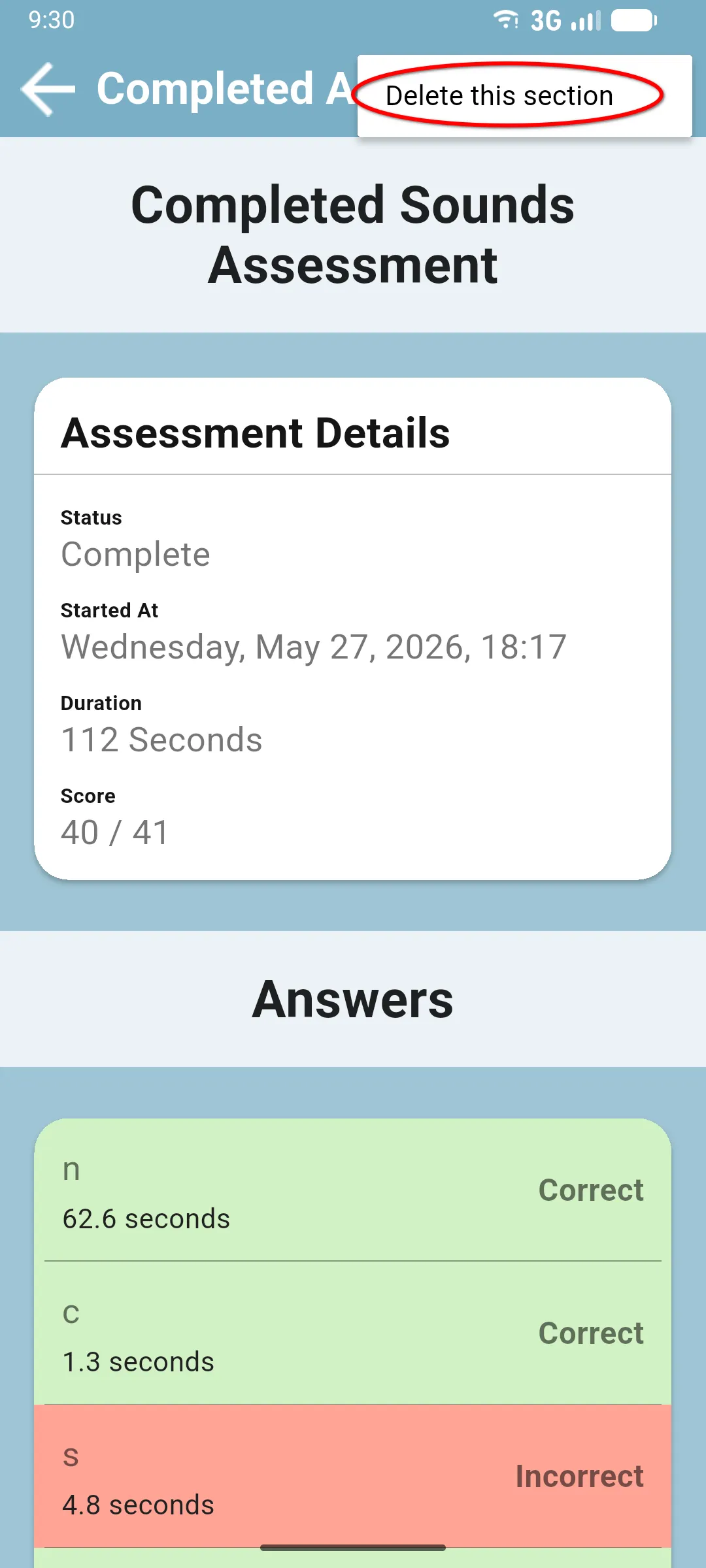
3. Tap Delete this section
Section titled “3. Tap Delete this section”The menu has a single option, Delete this section. Tap it to remove the section. The section row goes back to a fresh Start button on the pupil assessment, so the pupil can run it again from scratch.
Next: Paper vs in-app sections