
Question banks
A question bank is a collection of monitoring questions kept at organisation level. Forms are built by picking questions out of a bank, so the same question can be used in several countries and its answers stay comparable across them.
Open the banks list from the settings menu at organisation level.
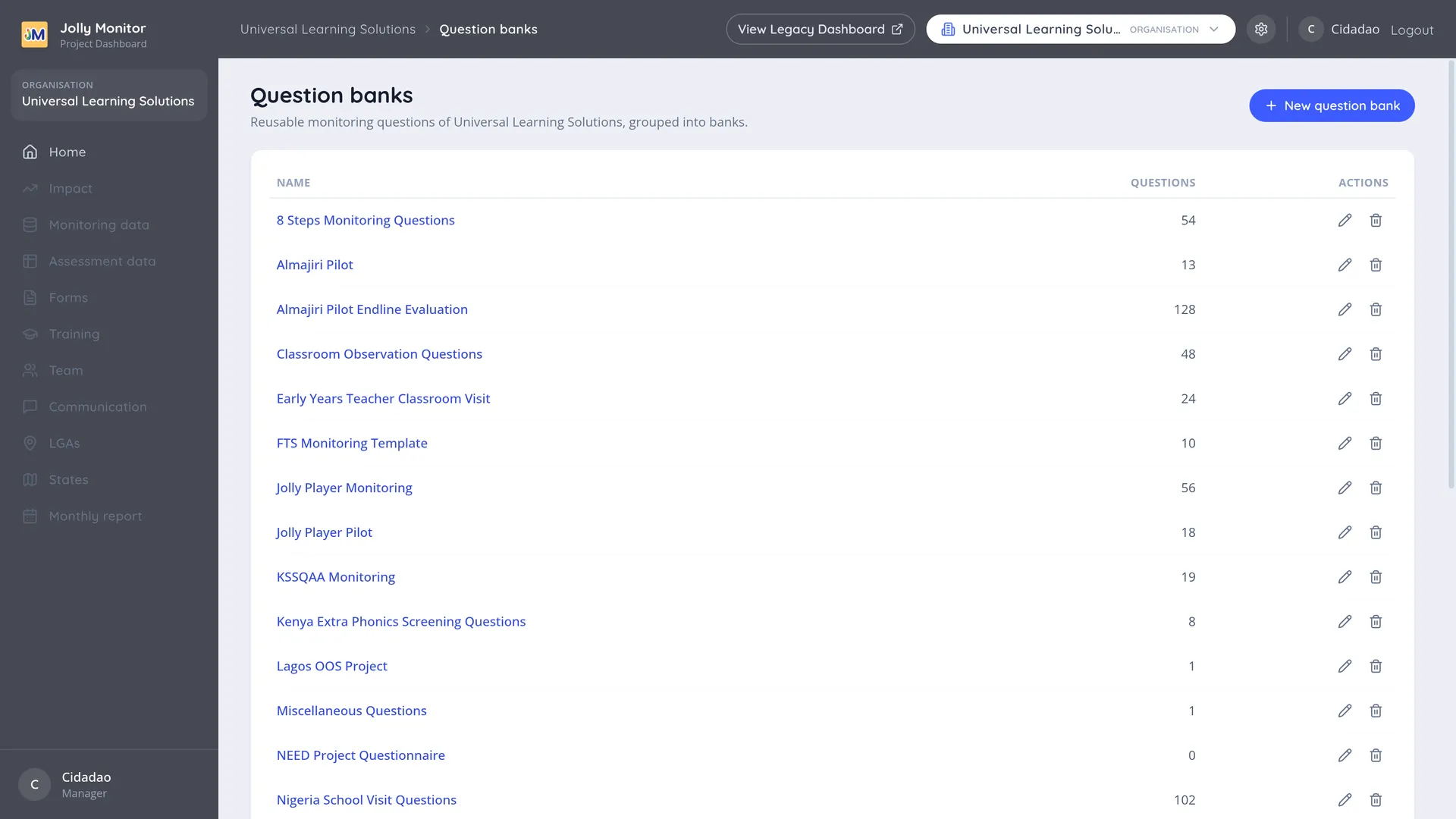
The Question banks list
Section titled “The Question banks list”Each row shows a bank’s Name and how many Questions it holds, with actions at the end. New question bank adds another.
Banks are usually organised by purpose rather than by country: a bank of routine monitoring questions, a bank of screening questions, a bank of questions for one particular programme.
Inside a question bank
Section titled “Inside a question bank”Opening a bank lists its questions grouped by the level they monitor, each group carrying a count:
- School
- Head teacher
- Class teacher
- Observation
- Pupil
An empty group says so, for example “No school questions yet.”
New question adds a question to the bank. Its fields are covered in Monitoring questions.
Questions can be reordered within their group, which keeps the bank readable. A question added to a form always joins the end of its subject group there; the form’s own Configure page is where the asking order is arranged.
How a question gets from a bank onto a form
Section titled “How a question gets from a bank onto a form”Questions are never written inside a form. The path is always the same:
- The question is created in a bank, with its wording, its answer type and its options.
- A form’s Configure page adds it to the form by reference, into the group matching its subject.
- The monitor answers it in the field, and the answer is stored against the question.
Because step 2 is a reference and not a copy, the same question on two forms produces answers that can be compared and reported on together. That is why a well organised bank matters more than it first appears: it decides what your data can be aggregated by later.
Renaming and deleting
Section titled “Renaming and deleting”The actions on a bank rename or delete it. A bank that still holds questions cannot be deleted: the dashboard refuses and tells you how many questions are left. Delete or retire its questions first, and remember a question that is in use on a form is locked, carrying an In forms badge to tell you so. So the full order for retiring a bank is: take the questions off their forms, delete the questions, then delete the bank.
Next: Assessment definitions